We Use CookiesWe use cookies to enhance the security, performance, functionality and for analytical and promotional activities. By continuing to browse this site you are agreeing to our privacy policy

10 Best Educational Tablets For Kids 2026 in the United States

How do we rank products for you?

Our technology thoroughly searches through the online shopping world, reviewing hundreds of sites. We then process and analyze this information, updating in real-time to bring you the latest top-rated products. This way, you always get the best and most current options available.

headphones-stars

Our Top Picks

#1

Winner

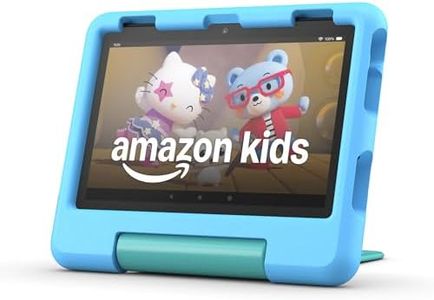
Amazon Fire HD 10 Kids Pro tablet, ages 6-12. Bright 10.1" HD screen, includes ad-free content, robust parental controls, 13-hr battery and slim case for older kids, 32 GB, Happy Day

Rating
10.0
Chosen by1,223
Durability
Parental Controls
Screen Size

Most important from
10856 reviews

Durability
The tablet’s kid-proof case stands up to rough handling, making it a truly durable choice for active children.
Parental Controls
Parental controls are intuitive and easy to set up, allowing remote management of screen time and content effortlessly.
Screen Size
The large 10.1-inch HD screen and faster performance make learning and entertainment more engaging for kids.
Educational Content
The included subscription offers a wide variety of educational games and videos that keep kids happy and entertained.
User Interface
Side buttons designed for kids enhance usability and convenience during daily use.

The Amazon Fire HD 10 Kids Pro tablet is designed specifically for children aged 6 to 12, offering a bright and clear 10.1-inch HD screen that makes watching videos and reading enjoyable. Its sturdy kid-proof case helps protect the device from everyday bumps and drops, making it a fairly durable choice for active kids. Parents will appreciate the highly rated parental controls, including a mobile app that allows easy remote management of screen time and content, helping keep kids safe online. The tablet comes with one year of Amazon Kids+, providing ad-free educational books, videos, and games from trusted sources like PBS and Nat Geo, which encourages learning through fun activities.

Battery life is solid, offering up to 13 hours of use, so it can easily last through a school day or a long trip without needing a charge. With 32 GB of internal storage and the option to add a microSD card, there is ample room for apps and media, though some apps must be installed on the internal storage, so heavy users may find this somewhat limiting. The device runs on a fast octa-core processor and 3 GB of RAM, ensuring smooth navigation and a user-friendly interface tailored for kids.

The tablet is powerful and ready to use right out of the box, with the note that after the included year of Amazon Kids+ content, the subscription will renew at around $6 per month if not canceled. This tablet suits families looking for a versatile, educational, and safely controlled device that balances fun and learning for school-age children, especially those who want a bigger screen and longer battery life than typical kids’ tablets.

Rating
10.0
Chosen by1,223
Durability
Parental Controls
Screen Size

Most important from
10856 reviews

Durability
The tablet’s kid-proof case stands up to rough handling, making it a truly durable choice for active children.
Parental Controls
Parental controls are intuitive and easy to set up, allowing remote management of screen time and content effortlessly.
Screen Size
The large 10.1-inch HD screen and faster performance make learning and entertainment more engaging for kids.
Educational Content
The included subscription offers a wide variety of educational games and videos that keep kids happy and entertained.
User Interface
Side buttons designed for kids enhance usability and convenience during daily use.
#2

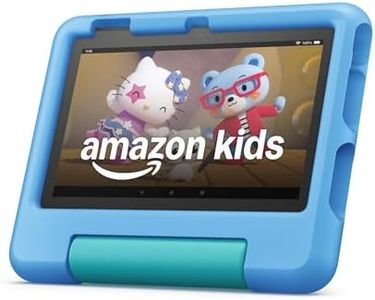
Amazon Fire HD 10 Kids tablet (newest model) ages 3-7 | Bright 10.1" HD screen with included ad-free and exclusive content, robust parental controls, 13-hr battery, 32 GB, Blue

Rating
9.7
Durability
Parental Controls
Educational Content

Most important from
7778 reviews

Durability
Durability is a standout feature, with the tablet proving to be robust and reliable even with frequent use by young children.
Parental Controls
Parents can effortlessly manage screen time, content, and app usage with the impressive parental controls.
Educational Content
The subscription service offers a wealth of educational games and content tailored to the child's age, enhancing the learning experience.
Battery Life
Battery life is excellent, lasting long enough to keep kids entertained through extended sessions.
User Interface
The tablet is incredibly easy to use and connects seamlessly to WiFi, making it user-friendly for toddlers.

The Amazon Fire 10 HD Kids tablet is designed specifically for children ages 3-7, featuring a vibrant 10.1” 1080p Full HD display that provides excellent picture quality for educational content and entertainment. The tablet is built for durability, including a kid-proof case and a 2-year worry-free guarantee that allows for free replacements if it breaks, making it highly reliable for young users.

It offers comprehensive parental controls, enabling parents to manage screen time, content, and app usage from their phone, ensuring a safe and controlled environment for children. The included one-year subscription to Amazon Kids+ provides access to a wide range of educational and entertaining content, although the subscription will renew at a monthly cost after the first year. With a battery life of up to 13 hours, the tablet can last through extended use.

The 32 GB internal storage, expandable up to 1 TB with a microSD card, ensures ample space for books, games, and videos. Running on a fast octa-core processor with 3 GB of RAM, the device promises smoother performance than its predecessors. Some potential drawbacks include its relatively high weight, which might be cumbersome for very young children, and the need for additional purchases to fully utilize the expandable storage and faster charging options. Additionally, while the tablet’s software security updates are guaranteed for four years, it might eventually require replacement due to evolving software needs. This tablet is an excellent choice for parents seeking a robust, educational, and entertaining device for their young children, with manageable long-term costs associated with content subscriptions.

Rating
9.7
Durability
Parental Controls
Educational Content

Most important from
7778 reviews

Durability
Durability is a standout feature, with the tablet proving to be robust and reliable even with frequent use by young children.
Parental Controls
Parents can effortlessly manage screen time, content, and app usage with the impressive parental controls.
Educational Content
The subscription service offers a wealth of educational games and content tailored to the child's age, enhancing the learning experience.
Battery Life
Battery life is excellent, lasting long enough to keep kids entertained through extended sessions.
User Interface
The tablet is incredibly easy to use and connects seamlessly to WiFi, making it user-friendly for toddlers.
#3

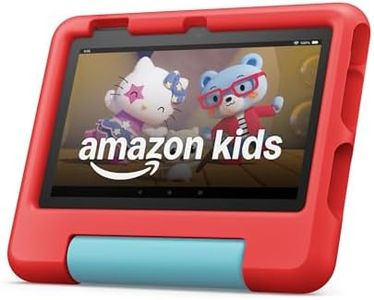
Amazon Fire 7 Kids tablet (newest model) ages 3-7. Top-selling 7" kids tablet on Amazon. Includes ad-free and exclusive content, easy parental controls, 10-hr battery, 16 GB, Red

Rating
9.7
Screen Size
Durability
Parental Controls

Most important from
33332 reviews

Screen Size
The screen delivers clear colors and good sound quality, enhancing the overall viewing and listening experience.
Durability
The kid-friendly case provides excellent protection, making the tablet very durable against drops and rough handling.
Parental Controls
Parental controls are intuitive and effective, allowing precise management of screen time and content access.
Educational Content
The included 1-year subscription to Amazon Kids+ adds tremendous educational and entertainment value.
Battery Life
Battery life comfortably supports a full day of typical use, balancing power efficiency and performance.
User Interface
The tablet runs apps, games, and videos smoothly, offering a seamless experience for young children.

The Amazon Fire 7 Kids tablet is designed specifically for children ages 3 to 7, making it a solid choice for parents seeking an affordable and kid-friendly educational tablet. Its 7-inch screen offers a decent viewing area with clear colors thanks to IPS technology, suitable for reading and watching videos. The included sturdy kid-proof case and 2-year worry-free guarantee provide peace of mind against drops and accidents, supporting durability well for young users.

Parental controls are straightforward and robust, allowing caregivers to set time limits, filter content by age, and even manage access to services like Netflix and Disney+. A key advantage is the included 1-year Amazon Kids+ subscription, which offers thousands of ad-free books, games, and videos from trusted educational brands, making the tablet rich in quality learning materials. Battery life of up to 10 hours is enough for a full day of typical use, and storage starts at 16 GB, expandable by up to 1 TB with a microSD card, accommodating plenty of apps and media.

The user interface is kid-friendly and simple to navigate, though the resolution of 1024 x 600 is modest compared to higher-end tablets. While the 2 GB RAM and quad-core processor handle basic apps smoothly, the tablet isn’t built for heavy multitasking or advanced gaming. This tablet effectively balances educational content, ease of use, and durability, making it best suited for younger children beginning their digital learning journey rather than older kids needing more power or screen detail.

Rating
9.7
Screen Size
Durability
Parental Controls

Most important from
33332 reviews

Screen Size
The screen delivers clear colors and good sound quality, enhancing the overall viewing and listening experience.
Durability
The kid-friendly case provides excellent protection, making the tablet very durable against drops and rough handling.
Parental Controls
Parental controls are intuitive and effective, allowing precise management of screen time and content access.
Educational Content
The included 1-year subscription to Amazon Kids+ adds tremendous educational and entertainment value.
Battery Life
Battery life comfortably supports a full day of typical use, balancing power efficiency and performance.
User Interface
The tablet runs apps, games, and videos smoothly, offering a seamless experience for young children.

Buying Guide for the Best Educational Tablets For Kids

When choosing an educational tablet for kids, it's important to consider several key factors to ensure that the device is both suitable and beneficial for your child's learning and entertainment needs. The right tablet can provide a balance of educational content, ease of use, and durability. Here are some key specifications to consider and how to navigate them to find the best fit for your child.
Screen SizeScreen size refers to the diagonal measurement of the tablet's display. This spec is important because it affects how easily your child can interact with the tablet and how comfortable it is to use for extended periods. Smaller screens (7-8 inches) are more portable and easier for younger children to handle, while larger screens (9-10 inches) provide a better viewing experience for educational videos and interactive apps. Consider your child's age and how they will use the tablet to determine the best screen size.
DurabilityDurability is crucial for a kids' tablet as it needs to withstand drops, spills, and rough handling. Look for tablets with rugged designs, reinforced corners, and protective cases. Some tablets are specifically designed for kids and come with built-in bumpers or shockproof features. If your child is very young or tends to be rough with their toys, prioritize a tablet with high durability to ensure it lasts longer.
Parental ControlsParental controls allow you to manage what your child can access on the tablet, including apps, websites, and screen time. This spec is important for ensuring a safe and controlled digital environment. Tablets with robust parental control features let you set usage limits, filter content, and monitor activity. If you want to have peace of mind about your child's tablet use, choose a device with comprehensive parental controls.
Educational ContentEducational content refers to the pre-installed or available apps, games, and resources that promote learning. This spec is important because it directly impacts the educational value of the tablet. Some tablets come with a library of age-appropriate educational content, while others offer subscriptions to educational platforms. Consider the type of educational content that aligns with your child's learning needs and interests, such as math, reading, science, or creativity.
Battery LifeBattery life indicates how long the tablet can be used on a single charge. This spec is important for ensuring that the tablet can last through long car rides, flights, or school days without needing frequent recharging. Tablets with longer battery life (8-12 hours) are more convenient and reduce the need for constant charging. Think about how and where your child will use the tablet to determine the necessary battery life.
Storage CapacityStorage capacity refers to the amount of internal space available for apps, games, videos, and other content. This spec is important because it affects how much content the tablet can hold. Tablets with higher storage capacities (32GB or more) can store more educational apps and media, which is useful if your child likes to download a variety of content. If your child uses the tablet primarily for streaming or online activities, a lower storage capacity may suffice.
User InterfaceThe user interface is the way the tablet's operating system and apps are designed and organized. This spec is important because it affects how easily your child can navigate and use the tablet. Kid-friendly interfaces are simple, colorful, and intuitive, making it easier for young children to use the device independently. Look for tablets with interfaces designed specifically for kids, as they often include larger icons and simplified navigation.

FAQ