We Use CookiesWe use cookies to enhance the security, performance, functionality and for analytical and promotional activities. By continuing to browse this site you are agreeing to our privacy policy

10 Best HDMI DVD Players 2026 in the United States
How do we rank products for you?

Our technology thoroughly searches through the online shopping world, reviewing hundreds of sites. We then process and analyze this information, updating in real-time to bring you the latest top-rated products. This way, you always get the best and most current options available.

headphones-stars

Our Top Picks

#1

Winner

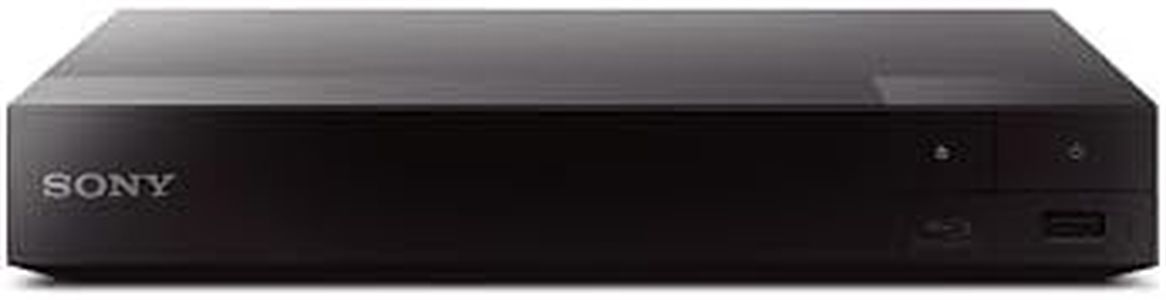
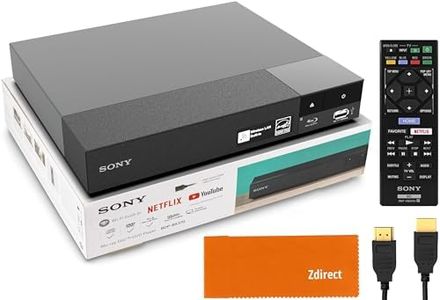
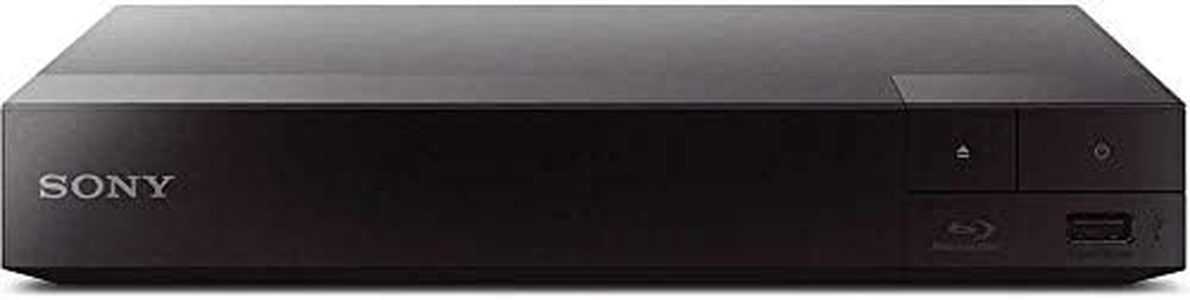
Sony BDP-S1700U Blu-ray DVD Player Dolby Digital TrueHD/DTS and DVD upscaling, with Included HDMI Cable, 2025 Model

Rating
10.0
Chosen by1,292
HDMI Output
Video Upscaling
Audio Output Options

Most important from
1352 reviews

HDMI Output
Setup is straightforward with an included HDMI cable and a remote powered by AAA batteries, allowing quick and hassle-free startup.
Video Upscaling
Picture quality on standard DVDs is noticeably enhanced, delivering a sharper and more vibrant viewing experience.
Audio Output Options
Sound quality is impressive, supporting Dolby audio and providing a rich audio experience.
User Interface and Remote Control
The remote is small and functional, though the lack of backlighting on buttons might require some adjustment.
Build Quality and Design
The player is compact and requires very little space, making it ideal for setups with limited room.

The Sony BDP-S1700U is a solid choice if you're looking for a Blu-ray DVD player that delivers good picture and sound quality. It outputs video in full HD (1080p) through HDMI, and it can upscale DVDs to near HD quality, which means older discs will look better on modern TVs. Audio-wise, it supports surround sound formats like Dolby Digital TrueHD and DTS, so it can provide a richer sound experience when connected to a compatible audio system.

The player supports both Blu-ray and DVD discs, but it is region-locked to Blu-ray disc region A and DVD region 1, so discs from other regions might not work. Setting up the player is straightforward, helped by the included HDMI cable and a user-friendly interface that boots up quickly thanks to a fast start mode. The design is compact and lightweight, making it easy to place in most entertainment setups.

Connectivity options are limited mainly to HDMI, so if you need other audio outputs or network features, this model may not meet those needs. There are no smart features or apps, so it focuses mainly on disc playback rather than streaming. If you want a dependable and easy-to-use player primarily for watching Blu-ray and DVDs with enhanced video quality, the Sony BDP-S1700U is a good fit without being overly complicated.

Rating
10.0
Chosen by1,292
HDMI Output
Video Upscaling
Audio Output Options

Most important from
1352 reviews

HDMI Output
Setup is straightforward with an included HDMI cable and a remote powered by AAA batteries, allowing quick and hassle-free startup.
Video Upscaling
Picture quality on standard DVDs is noticeably enhanced, delivering a sharper and more vibrant viewing experience.
Audio Output Options
Sound quality is impressive, supporting Dolby audio and providing a rich audio experience.
User Interface and Remote Control
The remote is small and functional, though the lack of backlighting on buttons might require some adjustment.
Build Quality and Design
The player is compact and requires very little space, making it ideal for setups with limited room.
#2

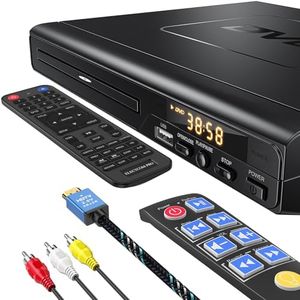
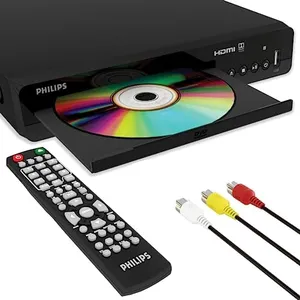
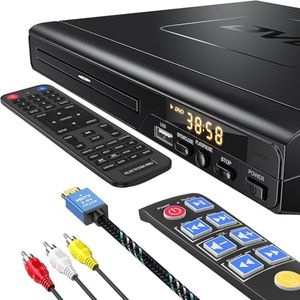
DVD Players for TV with HDMI, DVD Players That Play All Regions, Simple DVD Player for Elderly, CD Player for Home Stereo System, Included HDMI and RCA Cable, with Big Buttons Remote Control

Rating
9.7
HDMI Output
Video Upscaling
Disc Compatibility

Most important from
126 reviews

HDMI Output
This compact DVD player delivers excellent picture quality and runs quietly without distracting noise.
Video Upscaling
Playback is smooth with helpful features like anti-skip protection and progressive scan enhancing the viewing experience.
Disc Compatibility
The player is truly region-free, reliably playing discs from any country without freezing or errors.
User Interface and Remote Control
Setup is straightforward, and the included remote control is large, easy to use, and well-liked compared to previous remotes.
Build Quality and Design
The device’s small size and quiet operation make it a great fit for users wanting a low-profile player.

This ELECTCOM PRO HDMI DVD player is a solid choice if you want a straightforward device for watching DVDs and listening to CDs with modern connectivity. It offers HDMI output with 1080p upscaling, meaning your DVDs will look clearer and more vibrant on HD TVs than on older players. The player is region free, so it can play discs from any part of the world, which is great if you have DVDs from multiple countries. It supports a wide range of disc types (DVD, CD, VCD) and formats, plus it can play MP3 music and JPG images from a USB drive, although it does not support MP4 video files via USB.

Audio options include both stereo and surround sound modes, giving decent flexibility for different sound systems. The build quality is sturdy with a modern look, and the included remote has large buttons with backlighting, making it easier for elderly users or those who struggle with small controls. The package also includes a long HDMI cable, simplifying setup. Some nice features like anti-skip protection and progressive scan help improve playback smoothness and video quality. However, it doesn’t support Blu-ray discs, so if you want to watch higher-definition discs beyond DVD, this won’t cover that. Also, the USB functionality is limited in video playback, so it’s mainly for music and photos.

The user interface is basic but functional, suitable for everyday use without complex menus. This player is ideal for families or seniors looking for a reliable, easy-to-use DVD player with good picture quality and broad disc compatibility.

Rating
9.7
HDMI Output
Video Upscaling
Disc Compatibility

Most important from
126 reviews

HDMI Output
This compact DVD player delivers excellent picture quality and runs quietly without distracting noise.
Video Upscaling
Playback is smooth with helpful features like anti-skip protection and progressive scan enhancing the viewing experience.
Disc Compatibility
The player is truly region-free, reliably playing discs from any country without freezing or errors.
User Interface and Remote Control
Setup is straightforward, and the included remote control is large, easy to use, and well-liked compared to previous remotes.
Build Quality and Design
The device’s small size and quiet operation make it a great fit for users wanting a low-profile player.
#3

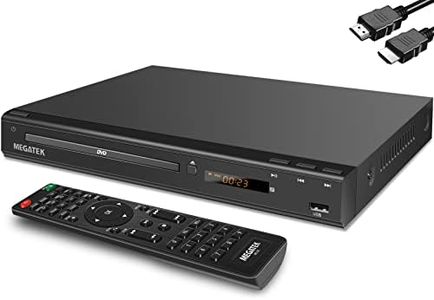
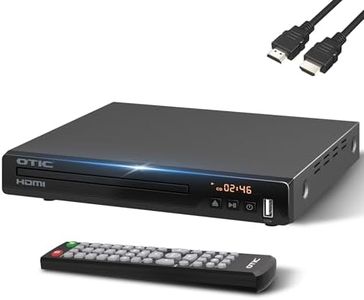
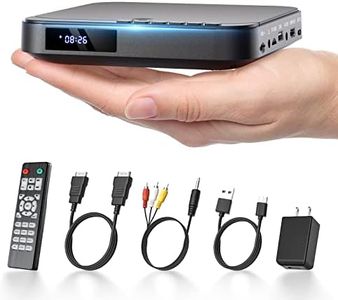
MEGATEK Region-Free HDMI DVD Player for TV, Compact CD/DVD Player for Smart TV, USB Port, Plays All Region DVDs & Multi Formats, Metal Housing, HDMI/RCA Cables & Remote Included

Rating
7.9
HDMI Output
Disc Compatibility
User Interface and Remote Control

Most important from
19502 reviews

HDMI Output
An excellent value for those needing an HDMI-compatible DVD player with easy connectivity and a good remote.
Disc Compatibility
Ideal for anyone with an extensive DVD collection looking for a reliable and affordable replacement.
User Interface and Remote Control
The remote control is functional but could be improved; it requires close proximity to the player for optimal performance.
Build Quality and Design
Setting up this DVD player is a breeze, and its slim design fits perfectly under the TV stand.

The MEGATEK Region-Free DVD Player offers several attractive features for anyone looking to enhance their home entertainment system. One of its significant strengths is the 1080P upscaling capability, which improves the picture quality of standard DVDs to near Full HD, providing a better viewing experience. The player supports DVDs from all regions and various disc types including CDs, making it highly versatile.

Additionally, the USB port allows for easy playback of MP3, WMA, and JPEG files, adding to its functionality. Connectivity options are ample with HDMI, RCA, and coaxial outputs, ensuring compatibility with a range of audio and video equipment. The user interface is designed to be user-friendly, complemented by a full-function remote control, repeat playback, zoom, and parental control features.

The metal casing enhances durability and helps with cooling, reducing noise and increasing reliability. However, it should be noted that this player does not support Blu-ray discs, and the USB port is limited to FAT32 formatted drives up to 128GB. Those looking for a compact and stylish DVD player that covers a wide range of formats and regions will find this product suitable, although Blu-ray enthusiasts will need to look elsewhere.

Rating
7.9
HDMI Output
Disc Compatibility
User Interface and Remote Control

Most important from
19502 reviews

HDMI Output
An excellent value for those needing an HDMI-compatible DVD player with easy connectivity and a good remote.
Disc Compatibility
Ideal for anyone with an extensive DVD collection looking for a reliable and affordable replacement.
User Interface and Remote Control
The remote control is functional but could be improved; it requires close proximity to the player for optimal performance.
Build Quality and Design
Setting up this DVD player is a breeze, and its slim design fits perfectly under the TV stand.

Buying Guide for the Best HDMI DVD Players

When choosing an HDMI DVD player, it's important to consider several key specifications to ensure you get the best fit for your needs. HDMI DVD players can vary widely in terms of features, performance, and compatibility, so understanding these specs will help you make an informed decision. Here are the key specifications to look out for and how to navigate them.
HDMI OutputHDMI output is the port that connects the DVD player to your TV or monitor, transmitting both audio and video signals. This spec is crucial because it determines the quality of the picture and sound you will experience. HDMI outputs are standard on most modern DVD players, but you should ensure that the player supports the HDMI version compatible with your TV. For example, HDMI 1.4 supports 1080p resolution, while HDMI 2.0 and above support 4K resolution. If you have a 4K TV, you should look for a DVD player with HDMI 2.0 or higher to get the best picture quality.
Video UpscalingVideo upscaling is a feature that enhances the resolution of standard DVDs to match the higher resolution of modern TVs. This is important if you want to watch older DVDs on a high-definition or 4K TV without compromising on picture quality. Upscaling can range from 720p to 1080p and even 4K. If you have a 4K TV, a DVD player with 4K upscaling will provide the best viewing experience. For HD TVs, 1080p upscaling is sufficient. Consider your TV's resolution when choosing the upscaling capability of your DVD player.
Audio Output OptionsAudio output options determine how the DVD player connects to your sound system. Common options include HDMI, optical, and coaxial outputs. HDMI is the most versatile as it carries both audio and video signals, but if you have a separate audio system, you might need optical or coaxial outputs. If you have a surround sound system, look for a DVD player that supports Dolby Digital or DTS audio formats for the best sound quality. Your choice should depend on your existing audio setup and the quality of sound you desire.
Disc CompatibilityDisc compatibility refers to the types of discs the DVD player can read. Most DVD players can handle standard DVDs, but some can also play CDs, Blu-ray discs, and various writable formats like DVD-R, DVD+R, and CD-R. If you have a diverse collection of media, look for a player with broad disc compatibility. Additionally, some players support playback of digital files from USB drives or SD cards, which can be a convenient feature if you have a lot of digital media.
Connectivity OptionsConnectivity options include additional ports and wireless capabilities that allow the DVD player to connect to other devices. Common options include USB ports, SD card slots, and Wi-Fi or Ethernet for internet connectivity. These features are important if you want to play digital media files or stream content from online services. If you plan to use your DVD player for more than just playing DVDs, look for one with multiple connectivity options to enhance its versatility.
User Interface and Remote ControlThe user interface and remote control determine how easy it is to operate the DVD player. A well-designed interface with intuitive menus and a responsive remote control can significantly enhance your viewing experience. Look for a DVD player with a user-friendly interface and a remote that has clearly labeled buttons and good range. Some players also offer smartphone apps for remote control, which can be a convenient alternative.
Build Quality and DesignBuild quality and design affect the durability and aesthetic appeal of the DVD player. A well-built player with a sturdy design is likely to last longer and withstand regular use. Additionally, consider the size and design of the player to ensure it fits well with your other home entertainment equipment. While this may not impact performance directly, a well-designed player can complement your home setup and provide a more satisfying user experience.

FAQ