We Use CookiesWe use cookies to enhance the security, performance, functionality and for analytical and promotional activities. By continuing to browse this site you are agreeing to our privacy policy

10 Best iPad-Compatible Styluses 2026 in the United States
How do we rank products for you?

Our technology thoroughly searches through the online shopping world, reviewing hundreds of sites. We then process and analyze this information, updating in real-time to bring you the latest top-rated products. This way, you always get the best and most current options available.

headphones-stars

Our Top Picks

#1

Winner

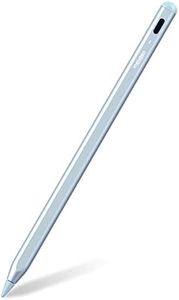
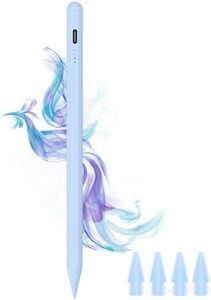
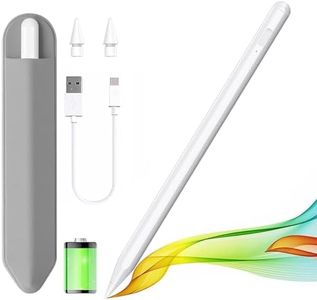
Metapen Pencil A8 for Apple iPad 2018-2024, 2X Faster Charge, Tilt Sensitive, Palm Rejection, Stylus Pen for iPad 10/9/8/7/6th Gen, iPad Pro 12.9/11/13-inch M4, iPad Air 3/4/5/M2, iPad Mini 5/6, Blue

Rating
10.0
Chosen by1,143
Tilt Recognition
Battery Life
Compatibility

Most important from
53957 reviews

Tilt Recognition
Tilt sensitivity is great for drawing and note-taking, feeling smooth and responsive with no lag.
Battery Life
Fast charging powers up quickly and lasts a long time.
Compatibility
Easily pairs with the iPad and offers excellent accuracy for writing.
Tip Material and Replaceability
The tip on this stylus is better than any Apple Pencil I've had.
Additional Features
Attaches magnetically to the iPad, although it doesn’t charge wirelessly.

The Metapen Pencil A8 is a stylus specifically designed for iPads from the 2018-2024 series, making it a versatile choice for most recent iPad models. A prominent feature is its rapid charging capability, fully charging in just 30 minutes and offering up to 10 hours of usage, which is great for users who are frequently on the go. It also has an automatic shutdown feature to save battery life when not in use.

The stylus provides pixel-level precision with no delay, which is excellent for detailed drawing and writing, although it lacks pressure sensitivity, which might be a drawback for professional artists who rely on this feature for nuanced strokes. The tilt sensitivity and palm rejection features enhance the drawing and writing experience by allowing different shading techniques and natural hand positioning without interference. The tips are highly durable and come with two extra replacements, offering good value for frequent users.

However, the stylus doesn’t support Bluetooth, app connectivity, or wireless charging, which could be limiting for some users. Additionally, it’s important to note its compatibility restrictions, as it doesn’t work with devices other than specified iPad models. The double magnets help in attaching the stylus to the iPad, although this feature is not supported for some models. The Metapen Pencil A8 is a solid choice for everyday iPad users, especially those in need of a durable and precise stylus with fast charging capabilities.

Rating
10.0
Chosen by1,143
Tilt Recognition
Battery Life
Compatibility

Most important from
53957 reviews

Tilt Recognition
Tilt sensitivity is great for drawing and note-taking, feeling smooth and responsive with no lag.
Battery Life
Fast charging powers up quickly and lasts a long time.
Compatibility
Easily pairs with the iPad and offers excellent accuracy for writing.
Tip Material and Replaceability
The tip on this stylus is better than any Apple Pencil I've had.
Additional Features
Attaches magnetically to the iPad, although it doesn’t charge wirelessly.
#2

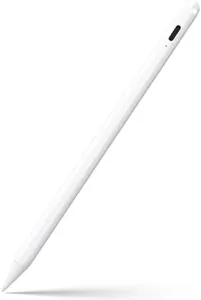
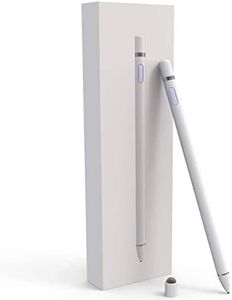
Stylus Pen for iPad 6th-11th Generation-2X Fast Charge Active Pencil Compatible with 2018-2025 Apple iPad Pro 11"/12.9"/M4, iPad Air 3/4/5/M2/M3,iPad mini 5/6 Gen-White

Rating
9.4
Pressure Sensitivity
Battery Life
Additional Features

Most important from
100738 reviews

Pressure Sensitivity
Despite lacking pressure sensitivity, it performs all necessary tasks effectively.
Battery Life
Charges quickly and holds its charge for hours, making it perfect for extended use.
Additional Features
Magnetically attaches to the iPad with strong magnets, ensuring it stays in place without any issues.

This stylus pen is compatible with a wide range of iPads, from the 6th to the 10th generation, including various iPad Pro, iPad Air, and iPad Mini models from 2018 to 2024. However, it does not support older models before 2018, nor is it compatible with iPhones, Android, or Microsoft devices. An important point to note is that the stylus does not have pressure sensitivity, which can be a drawback for users who need precise control for drawing or writing tasks.

Although it lacks pressure sensitivity, it compensates with high precision and smooth execution, thanks to its 1.5mm pen tip. This tip can be easily replaced without any tools, which is convenient for users in need of maintenance. The stylus also boasts palm rejection technology, allowing users to rest their hand on the screen while writing without interference, providing a more natural and comfortable writing experience. The touch switch feature means the pen can be activated simply by touching the cap button, a straightforward setup that doesn't require Bluetooth pairing.

Fast charging is another notable feature – a quick charge of 5-20 minutes provides 8-10 hours of usage, although the full charging time is 90 minutes. The stylus does not come with a pen cap or charging port cover, which may leave it vulnerable to damage. Additionally, users should use a 5V2A power adapter for charging, which might be an extra purchase if not already owned. The JAMJAKE stylus pen is a good option for users with compatible iPad models looking for a precise and responsive stylus, but the lack of pressure sensitivity may be a limitation for those requiring detailed control.

Rating
9.4
Pressure Sensitivity
Battery Life
Additional Features

Most important from
100738 reviews

Pressure Sensitivity
Despite lacking pressure sensitivity, it performs all necessary tasks effectively.
Battery Life
Charges quickly and holds its charge for hours, making it perfect for extended use.
Additional Features
Magnetically attaches to the iPad with strong magnets, ensuring it stays in place without any issues.
#3

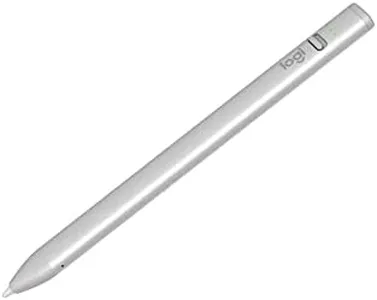
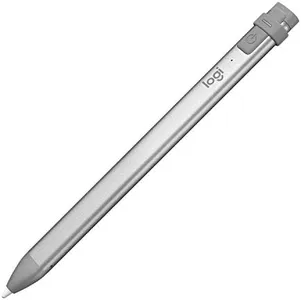
Logitech Crayon Digital Pencil for iPad (USB C Port Compatibility Only) Featuring Apple Pencil Technology, No Lag Pixel-Precision, and Dynamic Smart Tip with Fast USB C Charge - Silver

Rating
8.5
Battery Life
Additional Features

Most important from
799 reviews

Battery Life
The stylus charges very quickly, making it convenient for daily use without long waits.
Additional Features
Its unique triangular design provides excellent control and a comfortable grip during extended use.

The Logitech Crayon Digital Pencil is a solid choice for anyone looking for an affordable and reliable stylus for iPads from 2018 onward, especially those with USB-C ports. It uses Apple Pencil technology, offering accurate, lag-free writing and drawing with pixel-level precision. One standout feature is its tilt recognition, allowing you to create thicker or thinner lines naturally by adjusting how you angle the tip. Palm rejection is built-in, making it easier to rest your hand on the screen without interfering with your work.

The Crayon connects instantly—no complicated pairing needed—and charges quickly via USB-C, providing up to 7 hours of continuous use. The flat design prevents it from rolling away, which is handy for portability. However, unlike the more expensive Apple Pencil, it does not support pressure sensitivity, so you won’t get variations in line thickness based on how hard you press—only tilt influences line weight. The tip is durable and replaceable, which helps with long-term use.

It covers most basics well and works with many apps, though creative professionals looking for advanced drawing features might find it somewhat limited. For students, note-takers, or casual artists, this stylus delivers dependable performance with good battery life and easy setup, making it a practical and user-friendly option.

Rating
8.5
Battery Life
Additional Features

Most important from
799 reviews

Battery Life
The stylus charges very quickly, making it convenient for daily use without long waits.
Additional Features
Its unique triangular design provides excellent control and a comfortable grip during extended use.

Buying Guide for the Best iPad-Compatible Styluses

Choosing the right iPad-compatible stylus can significantly enhance your digital experience, whether you're an artist, student, or professional. The right stylus can make drawing, note-taking, and navigating your iPad more intuitive and enjoyable. To find the best fit for you, it's important to understand the key specifications and how they align with your needs and preferences.
Pressure SensitivityPressure sensitivity refers to how well the stylus can detect variations in pressure applied to the screen. This is crucial for artists and designers who need to create lines of varying thickness and opacity. Styluses with higher pressure sensitivity levels (e.g., 2048 levels or more) offer more precision and control, making them ideal for detailed artwork. For general note-taking or casual use, lower pressure sensitivity may suffice.
Tilt RecognitionTilt recognition allows the stylus to detect the angle at which it is being held, enabling more natural and varied strokes, especially for shading in drawing apps. This feature is particularly important for artists who want to mimic traditional drawing techniques. If you plan to use the stylus primarily for writing or basic navigation, tilt recognition may not be as critical.
Palm RejectionPalm rejection technology prevents the iPad from registering your hand or wrist resting on the screen while using the stylus. This is essential for a comfortable and natural writing or drawing experience, as it allows you to rest your hand on the screen without causing unwanted marks. If you frequently take notes or draw, look for a stylus with reliable palm rejection.
Battery LifeBattery life determines how long the stylus can be used before needing a recharge. Longer battery life is beneficial for extended use, such as long drawing sessions or taking notes throughout the day. Some styluses offer quick charging features, which can be convenient if you need to recharge in a hurry. Consider your usage patterns to determine the importance of battery life for you.
CompatibilityCompatibility refers to whether the stylus works with your specific iPad model. Not all styluses are compatible with every iPad, so it's important to check the manufacturer's specifications to ensure it will work with your device. Compatibility is crucial to ensure full functionality and avoid any connectivity issues.
Tip Material and ReplaceabilityThe tip material affects the feel and durability of the stylus. Common materials include plastic, rubber, and metal. A smoother tip can provide a more natural writing experience, while a more textured tip can offer better control. Additionally, consider whether the tips are replaceable, as this can extend the life of your stylus and maintain its performance over time.
Additional FeaturesSome styluses come with additional features such as shortcut buttons, erasers, or customizable settings. These can enhance your productivity and make the stylus more versatile. Think about what extra features might be useful for your specific tasks, whether it's quick access to certain functions or the ability to customize the stylus to your workflow.

FAQ