We Use CookiesWe use cookies to enhance the security, performance, functionality and for analytical and promotional activities. By continuing to browse this site you are agreeing to our privacy policy

10 Best Bluetooth Label Printers 2026 in the United States

How do we rank products for you?

Our technology thoroughly searches through the online shopping world, reviewing hundreds of sites. We then process and analyze this information, updating in real-time to bring you the latest top-rated products. This way, you always get the best and most current options available.

headphones-stars

Our Top Picks

#1

Winner

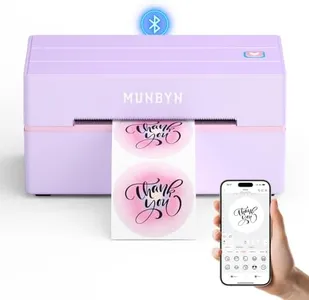
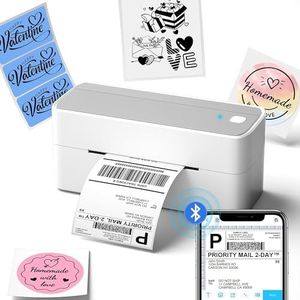
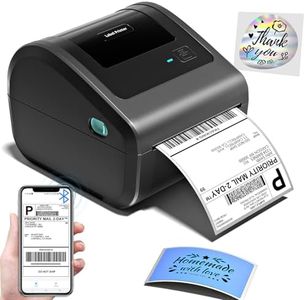
MUNBYN Bluetooth Thermal Label Printer, 130B Wireless 4x6 Shipping Label Printer for Shipping Packages Small Business Office or Home, Compatible with iPhone Android iPad Windows macOS Chrome Etsy eBay

Rating
10.0
Chosen by1,158
Print Resolution
Print Speed
Connectivity Options

Most important from
2951 reviews

Print Resolution
Print quality is sharp and professional, producing crisp labels and barcodes that enhance product presentation.
Print Speed
Printing speed is fast enough to handle large batches efficiently, supporting the demands of small business shipping tasks.
Connectivity Options
Bluetooth connectivity allows seamless wireless printing directly from smartphones, saving time and reducing cable clutter.

The MUNBYN Bluetooth Thermal Label Printer 130B is a solid choice for small businesses or home users needing reliable shipping label printing. It offers a good print resolution of 203 dpi, which ensures clear, sharp text and barcodes suitable for shipping and general labeling. Its print speed is quite fast at 72 pages per minute, allowing you to handle large batches efficiently. The printer supports label widths from about 1.57" up to 4.3", including standard shipping label sizes like 4x6 inches, which covers most shipping and packaging needs.

Connectivity is flexible with Bluetooth for wireless printing from smartphones, tablets, and laptops, plus a USB-C port for wired use, making it compatible across iOS, Android, Windows, macOS, and Chrome OS. Setup is straightforward with a dedicated app and a web-based editor, removing the need for complex software installation. However, there is no built-in battery mentioned, so it likely needs constant power, which means less portability for on-the-go use.

Durability is supported by thermal printing technology, which avoids ink or toner and reduces running costs. The printer is designed to work best with MUNBYN’s own thermal labels for optimal print quality and to prevent issues like smudging and fading. One downside is occasional compatibility problems with UPS thermal paper, so using recommended labels is important. The software side is quite strong, with thousands of templates, fonts, and label elements available for full customization, including multi-language support. This makes it versatile for various labeling tasks beyond shipping, like barcodes, branding, or home organization. Users looking for fast, high-quality label printing with simple wireless connectivity and extensive customization options, mainly for shipping and small business needs, will find this printer suitable. It may be less ideal for those needing portable battery-powered operation or who prefer using third-party label papers without potential compatibility issues.

Rating
10.0
Chosen by1,158
Print Resolution
Print Speed
Connectivity Options

Most important from
2951 reviews

Print Resolution
Print quality is sharp and professional, producing crisp labels and barcodes that enhance product presentation.
Print Speed
Printing speed is fast enough to handle large batches efficiently, supporting the demands of small business shipping tasks.
Connectivity Options
Bluetooth connectivity allows seamless wireless printing directly from smartphones, saving time and reducing cable clutter.
#2

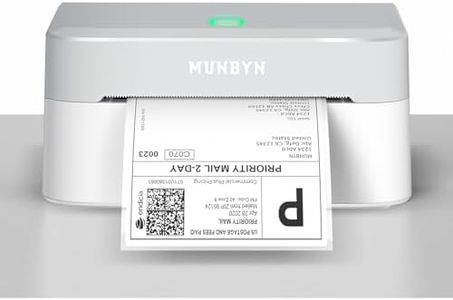
MUNBYN Bluetooth Thermal Label Printer RW403B, Wireless 4x6 Shipping Label Printer for Small Business, Compatible with Android, iPhone, Windows, Mac, Chromebook, Print Width 1.57"-4.25" (Grey)

Rating
9.1
Print Resolution
Print Speed
Connectivity Options

Most important from
659 reviews

Print Resolution
The printer delivers sharp, clear text and logos, ensuring professional-looking shipping labels and stickers.
Print Speed
Printing speed is notably quick, helping to keep up with busy workflows without delays.
Connectivity Options
Setup is fast and hassle-free, with Bluetooth pairing completed in under a minute and stable connections thereafter.
Battery Life
While it requires constant power connection due to lack of a built-in battery, it excels in stationary use with near-zero paper jams.
Software Compatibility
The included app offers a friendly interface and numerous customizable templates, making label creation straightforward.

The MUNBYN RW403B Bluetooth Thermal Label Printer is designed mainly for small businesses needing reliable shipping labels. It prints monochrome labels at 203 DPI resolution, which ensures clear, professional-looking text and barcodes necessary for shipping and inventory. With a max print speed of 150 pages per minute, it handles tasks quickly to keep up with busy workflows. The print width supports labels from about 1.57 to 4.25 inches, covering standard shipping label sizes. Its standout feature is easy Bluetooth and USB connectivity compatible with Android, iOS, Mac, Windows, and Chromebook devices, allowing flexible printing options without complicated setup or driver installations. The long-lasting thermal print head promises up to 970,000 labels and a near-zero jam rate, making it durable and cost-efficient over time. The included apps offer many templates and design elements, which is helpful if you want to customize labels without extra software. It’s also quite quiet, suitable for quieter work environments.

This printer lacks a built-in battery, so it needs to be plugged in during use, which might limit portability. It does not support color printing or duplex printing, so it’s best for straightforward monochrome label tasks rather than more complex printing needs. The MUNBYN RW403B serves as a solid, user-friendly option for small businesses requiring fast, clear, and reliable shipping labels with versatile device compatibility, though it is less suited for users needing color or battery-powered mobile printing.

Rating
9.1
Print Resolution
Print Speed
Connectivity Options

Most important from
659 reviews

Print Resolution
The printer delivers sharp, clear text and logos, ensuring professional-looking shipping labels and stickers.
Print Speed
Printing speed is notably quick, helping to keep up with busy workflows without delays.
Connectivity Options
Setup is fast and hassle-free, with Bluetooth pairing completed in under a minute and stable connections thereafter.
Battery Life
While it requires constant power connection due to lack of a built-in battery, it excels in stationary use with near-zero paper jams.
Software Compatibility
The included app offers a friendly interface and numerous customizable templates, making label creation straightforward.
#3

JADENS Bluetooth Thermal Shipping Label Printer – Wireless 4x6 Shipping Label Printer, Compatible with Android, iPhone, Windows & Mac, Widely Used for Ebay, Amazon, Shopify, Etsy, USPS

Rating
9.1
Print Resolution
Print Speed
Connectivity Options

Most important from
8830 reviews

Print Resolution
Print quality is sharp and clear, with crisp barcodes and text.
Print Speed
Prints labels quickly without any lag or delays, saving time during busy shipping days.
Connectivity Options
Setup was a breeze and connected seamlessly to both iPhone and Windows laptop via Bluetooth.
Software Compatibility
Works perfectly with selling platforms like eBay, Shopify, and Etsy, as well as shipping services like USPS, UPS, and FedEx.

The JADENS Bluetooth Thermal Shipping Label Printer offers several strengths and a few drawbacks. With a print resolution of 203 DPI, it provides clear and legible labels suitable for shipping and warehouse use. The print speed is efficient at up to 72 labels per minute, which is beneficial for small businesses needing to print labels quickly. The printer supports labels with widths ranging from 1.57 inches to 4.1 inches, providing versatility for various label sizes required by different platforms and marketplaces such as eBay, Amazon, and Shopify.

One of its major advantages is the ability to print wirelessly via Bluetooth, which is compatible with Android and iPhone devices, although Mac OS users will be limited to USB connection only. This makes it convenient for users who prefer wireless operation. However, it does not offer built-in battery life, hence it needs to be powered by an external source, limiting its portability. The printer is durable and designed to handle the rigors of frequent use, which is suitable for business environments.

Software compatibility is another highlight since it supports a wide range of shipping and labeling platforms. The setup process is straightforward with provided instructional videos and a one-year warranty adds to its reliability. The JADENS Bluetooth Thermal Shipping Label Printer is a solid choice for small business owners who need a versatile, high-quality, and efficient label printer, though its lack of battery limits its portability.

Rating
9.1
Print Resolution
Print Speed
Connectivity Options

Most important from
8830 reviews

Print Resolution
Print quality is sharp and clear, with crisp barcodes and text.
Print Speed
Prints labels quickly without any lag or delays, saving time during busy shipping days.
Connectivity Options
Setup was a breeze and connected seamlessly to both iPhone and Windows laptop via Bluetooth.
Software Compatibility
Works perfectly with selling platforms like eBay, Shopify, and Etsy, as well as shipping services like USPS, UPS, and FedEx.

Buying Guide for the Best Bluetooth Label Printers

Choosing the right Bluetooth label printer can make your labeling tasks more efficient and convenient. These devices are great for printing labels on the go, without the need for cables or a direct connection to a computer. To find the best fit for your needs, it's important to understand the key specifications and how they impact the printer's performance and usability. Here are the main specs to consider when selecting a Bluetooth label printer.
Print ResolutionPrint resolution refers to the clarity and detail of the printed labels, measured in dots per inch (DPI). Higher DPI values mean sharper and more detailed prints. For general labeling tasks, a resolution of 203 DPI is usually sufficient. However, if you need to print small text or detailed graphics, you might want to consider a printer with a higher resolution, such as 300 DPI or more. Your choice should depend on the level of detail required for your labels.
Print SpeedPrint speed indicates how quickly the printer can produce labels, usually measured in millimeters per second (mm/s) or inches per second (ips). Faster print speeds are beneficial for high-volume labeling tasks, as they can save you time. For occasional or low-volume use, a slower print speed may be acceptable. Consider your typical workload and choose a printer with a speed that matches your needs.
Label WidthLabel width refers to the maximum width of labels that the printer can handle. This is important because it determines the size of labels you can print. Common label widths range from 2 inches to 4 inches. If you need to print larger labels for shipping or inventory purposes, opt for a printer that supports wider labels. For smaller labels, such as those used for pricing or barcodes, a narrower width may suffice.
Connectivity OptionsWhile Bluetooth is a key feature for wireless printing, it's also useful to consider other connectivity options like USB, Wi-Fi, or Ethernet. These additional options can provide flexibility in different environments. For instance, Wi-Fi connectivity can be useful in an office setting where multiple users need to access the printer. Evaluate your specific use case and choose a printer with the connectivity options that best suit your needs.
Battery LifeBattery life is crucial for portable Bluetooth label printers, especially if you plan to use the printer on the go. A longer battery life means you can print more labels without needing to recharge frequently. Look for printers with battery life that matches your usage patterns. If you need to print labels throughout the day, opt for a model with a robust battery. For occasional use, a shorter battery life may be sufficient.
DurabilityDurability refers to the printer's ability to withstand wear and tear, especially in demanding environments. If you plan to use the printer in a warehouse, retail, or outdoor setting, look for models with rugged designs and protective features like dust and water resistance. For office or home use, a less rugged model may be adequate. Consider where and how you will use the printer to determine the level of durability you need.
Software CompatibilitySoftware compatibility is about ensuring the printer works seamlessly with your existing systems and devices. Check if the printer is compatible with your operating system (Windows, macOS, iOS, Android) and any labeling software you plan to use. Some printers come with their own software or apps, which can simplify the setup process. Make sure the printer you choose integrates well with your workflow to avoid any compatibility issues.

FAQ