We Use CookiesWe use cookies to enhance the security, performance, functionality and for analytical and promotional activities. By continuing to browse this site you are agreeing to our privacy policy

10 Best Gaming Computer Mouse 2026 in the United States
How do we rank products for you?

Our technology thoroughly searches through the online shopping world, reviewing hundreds of sites. We then process and analyze this information, updating in real-time to bring you the latest top-rated products. This way, you always get the best and most current options available.

headphones-stars

Our Top Picks

#1

Winner

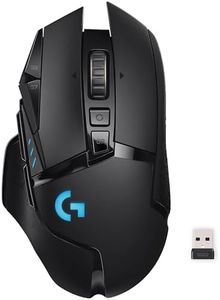
Logitech G502 Lightspeed Wireless Gaming Mouse with Hero 25K Sensor, PowerPlay Compatible, Tunable Weights and Lightsync RGB - Black

Rating
10.0
Chosen by1,216
Ergonomics
Buttons and Customization

Most important from
13444 reviews

Ergonomics
The mouse tracks perfectly and feels nice in your hand, making it well worth the price.
Buttons and Customization
It has plenty of extra buttons that significantly improve workflow, especially in software requiring multiple commands.

The Logitech G502 Lightspeed Wireless Gaming Mouse is designed for serious gamers looking for high performance and customization. It features an impressive Hero 25K sensor, offering extremely precise tracking with a DPI range of 100 to 25,600. This makes it suitable for both fast-paced games and precision tasks. The polling rate is very high, which means it responds quickly to movements, reducing lag during gameplay.

One standout feature is its wireless capability with LIGHTSPEED technology, known for minimal latency, making it almost as fast as wired alternatives. Additionally, it's compatible with PowerPlay wireless charging, though this system is sold separately, which could be a downside if you're looking to avoid extra costs. Ergonomically, the G502 is designed to be comfortable for long gaming sessions, and it also features tunable weights that let you adjust the mouse’s weight to your preference.

With 11 customizable buttons and a hyper-fast scroll wheel, it offers extensive options for personalizing your gaming experience, including setting up macros and shortcuts. The mouse is lightweight and has an optical sensor which is generally preferred for its accuracy and reliability. The additional cost for the PowerPlay system and the need for Logitech's G HUB software for full customization might be seen as drawbacks. Gamers who prioritize precision, speed, and customization would benefit most from this mouse.

Rating
10.0
Chosen by1,216
Ergonomics
Buttons and Customization

Most important from
13444 reviews

Ergonomics
The mouse tracks perfectly and feels nice in your hand, making it well worth the price.
Buttons and Customization
It has plenty of extra buttons that significantly improve workflow, especially in software requiring multiple commands.
#2

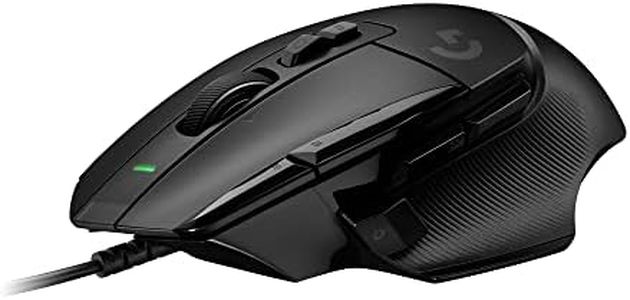
Logitech G502 X Wired Gaming Mouse - LIGHTFORCE Hybrid Optical-Mechanical Primary switches, Hero 25K Gaming Sensor, Compatible with PC - macOS/Windows - Black

Rating
8.8
DPI (Dots Per Inch)
Ergonomics
Buttons and Customization

Most important from
2094 reviews

DPI (Dots Per Inch)
The mouse offers great customization options, including a removable and flippable DPI-shift button and multiple profiles for versatile gaming setups.
Ergonomics
Its ergonomic shape and weight provide excellent comfort and steady aim, especially for medium to large hands, making it suitable for long gaming sessions.
Buttons and Customization
The mouse offers great customization options, including a removable and flippable DPI-shift button and multiple profiles for versatile gaming setups.
Wired vs. Wireless
The wired connection eliminates input lag and ensures stable performance, preferred by competitive gamers who value precision over wireless convenience.
Weight
Its ergonomic shape and weight provide excellent comfort and steady aim, especially for medium to large hands, making it suitable for long gaming sessions.
Sensor Type
The tracking is phenomenal with extremely accurate and stable sensor performance that ensures 1:1 cursor movement regardless of speed.

The Logitech G502 X Wired Gaming Mouse builds on a popular design with modern upgrades that cater well to gamers seeking precision and responsiveness. It features the HERO 25K sensor, known for extremely accurate tracking without any acceleration or smoothing, which helps in fast-paced gaming where precise movements matter. The LIGHTFORCE hybrid optical-mechanical switches offer quick and reliable click feedback, enhancing performance during long sessions. This mouse also shines in customization: it has a redesigned DPI-shift button that you can flip or remove to suit your grip style, and a hyperfast scroll wheel that toggles between free spin and a ratcheted feel, plus tilt functions for extra programmable buttons.

At 89 grams, it is relatively light for a wired mouse, thanks to a slim exoskeleton design, making movement easier without sacrificing durability. Being wired ensures very stable connectivity and no input lag, which is preferred by many competitive gamers. However, if you prefer wireless freedom, this model won’t suit you. The mouse’s ergonomics follow the G502’s classic shape, which fits comfortably for medium to large hands, though it might feel bulky to those with smaller hands or those who prefer ultra-light mice. It comes in black or white and works with both PC and macOS, making it versatile. This wired mouse is a solid choice for gamers looking for a high-performance, customizable, and reliable option, with a great sensor and switches, though its wired nature and size might not be ideal for everyone.

Rating
8.8
DPI (Dots Per Inch)
Ergonomics
Buttons and Customization

Most important from
2094 reviews

DPI (Dots Per Inch)
The mouse offers great customization options, including a removable and flippable DPI-shift button and multiple profiles for versatile gaming setups.
Ergonomics
Its ergonomic shape and weight provide excellent comfort and steady aim, especially for medium to large hands, making it suitable for long gaming sessions.
Buttons and Customization
The mouse offers great customization options, including a removable and flippable DPI-shift button and multiple profiles for versatile gaming setups.
Wired vs. Wireless
The wired connection eliminates input lag and ensures stable performance, preferred by competitive gamers who value precision over wireless convenience.
Weight
Its ergonomic shape and weight provide excellent comfort and steady aim, especially for medium to large hands, making it suitable for long gaming sessions.
Sensor Type
The tracking is phenomenal with extremely accurate and stable sensor performance that ensures 1:1 cursor movement regardless of speed.
#3

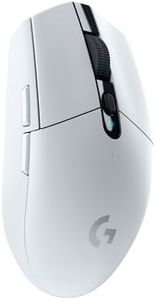
Logitech G305 Lightspeed Wireless Gaming Mouse, White

Rating
8.8
DPI (Dots Per Inch)
Ergonomics
Buttons and Customization

Most important from
38325 reviews

DPI (Dots Per Inch)
The 12,000 DPI makes movements feel incredibly smooth and precise, whether gaming or working.
Ergonomics
The build quality is solid yet lightweight, ensuring hours of comfortable use without fatigue.
Buttons and Customization
The six programmable buttons are a great bonus, offering customization options.
Wired vs. Wireless
The Logitech G305 LIGHTSPEED Wireless Gaming Mouse is an absolute game-changer with its incredible performance and zero lag thanks to LIGHTSPEED technology.
Sensor Type
The HERO 12K sensor is impressively accurate, making it perfect for fast-paced gaming and precise editing tasks.

The Logitech G305 LIGHTSPEED Wireless Gaming Mouse is a solid choice for gamers looking for a balance between performance and convenience. It features a HERO 12K sensor, which offers remarkable precision with up to 12,000 DPI, making it suitable for everything from casual to competitive gaming. The sensor's efficiency provides up to 10 times more power efficiency than many other options, paired with an ultra-fast 1ms report rate thanks to the LIGHTSPEED wireless technology, ensuring a lag-free experience.

With its lightweight design at just 99 grams, the G305 offers excellent maneuverability, which is crucial for extended gaming sessions. The mouse includes six programmable buttons, which provide ample customization options for different game genres, enhancing the user's control and flexibility. One of its standout features is the impressive battery life, allowing up to 250 hours of continuous gameplay on a single AA battery. This is particularly advantageous for gamers who dislike frequent charging interruptions. However, as a trade-off, the mouse uses a single AA battery rather than a built-in rechargeable one, which may be a downside for some users.

In terms of ergonomics, the G305's compact and portable design, along with built-in USB receiver storage, makes it ideal for gamers who need a reliable, high-performing device on the go. Its optical sensor technology ensures precise movement detection across various surfaces, although it might not be as advanced as some top-tier models featuring laser sensors. The Logitech G305 is well-suited for gamers who prioritize portability and battery life without sacrificing too much on performance. Its combination of features and price point makes it a popular choice, especially among those new to wireless gaming peripherals or those seeking a secondary mouse for travel.

Rating
8.8
DPI (Dots Per Inch)
Ergonomics
Buttons and Customization

Most important from
38325 reviews

DPI (Dots Per Inch)
The 12,000 DPI makes movements feel incredibly smooth and precise, whether gaming or working.
Ergonomics
The build quality is solid yet lightweight, ensuring hours of comfortable use without fatigue.
Buttons and Customization
The six programmable buttons are a great bonus, offering customization options.
Wired vs. Wireless
The Logitech G305 LIGHTSPEED Wireless Gaming Mouse is an absolute game-changer with its incredible performance and zero lag thanks to LIGHTSPEED technology.
Sensor Type
The HERO 12K sensor is impressively accurate, making it perfect for fast-paced gaming and precise editing tasks.

Buying Guide for the Best Gaming Computer Mouse

Choosing the right gaming computer mouse can significantly enhance your gaming experience. A good gaming mouse can provide better precision, comfort, and responsiveness, which are crucial for both casual and competitive gaming. When selecting a gaming mouse, consider the following key specifications to ensure you get the best fit for your needs.
DPI (Dots Per Inch)DPI measures the sensitivity of the mouse. Higher DPI means the cursor moves further on the screen with less physical movement of the mouse. This is important for fast-paced games where quick reflexes are needed. Low DPI (400-800) is suitable for precise movements in games like first-person shooters. Medium DPI (800-1600) is a good balance for most games, while high DPI (1600+) is ideal for fast-paced action games. Choose a DPI setting that matches your gaming style and the type of games you play.
Polling RateThe polling rate is how often the mouse reports its position to the computer, measured in Hertz (Hz). A higher polling rate means more frequent updates, resulting in smoother and more responsive cursor movements. Common polling rates are 125Hz, 500Hz, and 1000Hz. For most gamers, a polling rate of 500Hz or 1000Hz is ideal, as it provides a good balance between responsiveness and performance. If you play fast-paced or competitive games, opt for a higher polling rate.
ErgonomicsErgonomics refers to how comfortable the mouse is to use over extended periods. This is important to prevent strain and injury during long gaming sessions. Mice come in various shapes and sizes, including ambidextrous designs and those tailored for right or left-handed users. Consider the size of your hand and your grip style (palm, claw, or fingertip) when choosing a mouse. Test different shapes to find one that feels comfortable and natural in your hand.
Buttons and CustomizationGaming mice often come with additional buttons that can be programmed for specific functions or macros. This is important for games that require complex commands or quick access to certain actions. Basic mice may have 2-3 extra buttons, while more advanced models can have 10 or more. Consider how many buttons you need based on the games you play and your personal preferences. Customizable buttons can enhance your gaming efficiency and performance.
Wired vs. WirelessWired mice offer a stable and consistent connection, which is important for competitive gaming where every millisecond counts. Wireless mice provide more freedom of movement and a cleaner setup but may have slight latency and require battery management. Modern wireless mice have improved significantly, with some offering performance on par with wired models. Choose a wired mouse if you prioritize performance and reliability, or a wireless mouse if you value convenience and a clutter-free desk.
WeightThe weight of the mouse can affect your control and comfort. Lighter mice (under 100 grams) are easier to move quickly and are preferred for fast-paced games. Heavier mice (over 100 grams) can provide more precision and stability, which is beneficial for games that require fine control. Some gaming mice come with adjustable weights, allowing you to customize the feel to your preference. Consider your gaming style and personal comfort when choosing the weight of your mouse.
Sensor TypeGaming mice use either optical or laser sensors to track movement. Optical sensors are generally more accurate and consistent, making them ideal for most gaming scenarios. Laser sensors can work on a wider range of surfaces but may have slight acceleration issues. For most gamers, an optical sensor is the best choice due to its precision and reliability. If you need a mouse that works on various surfaces, consider a laser sensor.

FAQ